TikTok Video Formats Explained — MP4, Resolution, and Quality
If you're downloading TikTok videos, you might be wondering: what format are they in? What resolution should you expect? Is there a difference between the watermarked and non-watermarked versions? Let's break down the technical side of TikTok videos.
What Format Does TikTok Use?
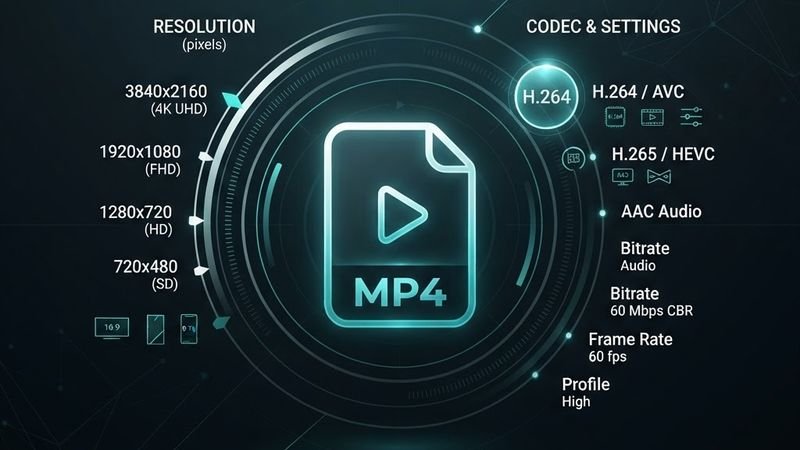
TikTok uses MP4 (H.264 video codec, AAC audio) for all video content. This is the most widely supported video format — it plays on virtually every device, browser, and media player.
When you download a TikTok video, you'll always get an MP4 file. There are no proprietary formats or special players needed.
Resolution and Aspect Ratio
TikTok videos are recorded and displayed in a 9:16 vertical aspect ratio (portrait mode). The resolution depends on what the creator uploaded:
- 1080 x 1920 — Full HD, the most common resolution for high-quality TikToks
- 720 x 1280 — HD, used by some older phones or when TikTok compresses content
- 576 x 1024 — Lower quality, sometimes seen with older uploads
TokGrab downloads the highest resolution available from the original upload. If a creator uploaded in 1080p, you'll get 1080p. There's no upscaling.
Watermarked vs. Non-Watermarked Files
When you download a TikTok video, there are two versions available:
With Watermark (wmplay)
- Includes the bouncing TikTok logo and creator username
- Same resolution as the original
- Slightly larger file size (the watermark adds visual data)
- This is what TikTok's built-in "Save Video" gives you
Without Watermark (play)
- Clean video with no branding
- Same resolution and quality as the watermarked version
- Same frame rate and audio quality
- Preferred for editing and personal use
The quality is identical — the only difference is the watermark overlay. There's no quality loss when removing the watermark.
Frame Rate
TikTok videos are typically recorded and encoded at:
- 30 fps — Standard for most TikTok content
- 60 fps — Used for smooth motion content (dancing, sports, gaming)
The downloaded video will match the original frame rate. Higher frame rates mean smoother motion but larger file sizes.
Audio Format
TikTok uses AAC audio at various bitrates:
- 128 kbps — Common for standard quality
- 256 kbps — Higher quality, used for some uploads
- Sample rate: 44100 Hz (CD quality)
When you download MP3 audio from a TikTok, the audio is extracted from the original AAC track without additional compression — you get the same quality that's in the video.
File Size Expectations
TikTok video file sizes vary based on length and quality:
- 15-second video (1080p): ~5-15 MB
- 30-second video (1080p): ~10-25 MB
- 60-second video (1080p): ~20-50 MB
- 3-minute video (1080p): ~50-120 MB
MP3 audio files are much smaller — typically 1-5 MB depending on length.
Does TikTok Compress Videos?
Yes. When a creator uploads a video, TikTok re-encodes it for streaming. This compression can reduce quality compared to the original file. The amount of compression depends on:
- Original file size and quality
- Video length (longer videos may be compressed more)
- Network conditions during upload
When you download a TikTok, you're getting TikTok's compressed version — not the creator's original file. This is the same quality that everyone sees when watching the video.
How to Maximize Download Quality
- Download the no-watermark version — it's identical quality without the overlay
- Download soon after the video is posted — older videos may have lower quality cached versions
- Check the file in a good media player (VLC) to verify quality
- If quality seems low, the original upload might have been low quality — there's no way to improve it
Understanding Bitrate and Compression
Bitrate is the amount of data used per second of video. Higher bitrate means better quality but larger file size. TikTok uses variable bitrate encoding, which means:
- Static scenes (talking head) use less data
- Dynamic scenes (dancing, fast motion) use more data
- Typical bitrate: 2,000-8,000 kbps for 1080p video
- Audio bitrate: 128-256 kbps AAC
This adaptive approach keeps file sizes manageable while maintaining good visual quality.
What is H.264 and Why Does It Matter?
H.264 (also known as AVC) is the video codec TikTok uses. A codec is the algorithm that compresses and decompresses video. H.264 is chosen because:
- It's supported by virtually every device, browser, and media player
- It offers excellent quality at reasonable file sizes
- It can be decoded quickly even on older phones
- It's the industry standard for web video
Newer codecs like H.265 (HEVC) and AV1 offer better compression, but TikTok hasn't adopted them yet due to compatibility concerns.
Vertical vs Horizontal — The TikTok Format
TikTok is designed for mobile, so all content is vertical (9:16 aspect ratio). This means:
- Width: 1080 pixels (or 720 on some devices)
- Height: 1920 pixels (or 1280)
- Aspect ratio: 9:16 (portrait)
When you download a TikTok, you always get this vertical format. If you need a horizontal (16:9) version for YouTube or a website, you'll need to crop or pad the video in an editor.
File Naming Conventions
When you download from TokGrab, the filename includes:
- The video title (sanitized to remove special characters)
- The creator's username
- The file extension (.mp4 or .mp3)
For example: How_to_make_pasta_tiktokuser.mp4. This helps you identify videos without opening them.
How to Verify Video Quality After Download
To check the quality of your downloaded TikTok:
- Open the file in VLC Media Player (free, supports all formats)
- Go to Tools → Codec Information
- Check the video resolution, codec, and bitrate
- Compare with the original TikTok to ensure quality matches
If the quality seems lower than expected, the original video may have been uploaded at a lower resolution. Downloaders can only provide the quality that TikTok has stored.
Storage Space Considerations
Before downloading multiple TikToks, consider your available storage:
- 10 videos (15 sec each, 1080p): ~100-150 MB
- 50 videos (30 sec each, 1080p): ~500-750 MB
- 100 videos (60 sec each, 1080p): ~2-5 GB
- MP3 audio files: Much smaller, typically 1-5 MB each
If storage is tight, consider downloading only the MP3 audio instead of the full video.
Wrapping Up
TikTok uses standard MP4 format with H.264 video and AAC audio, making downloads universally compatible. The quality you get depends on what the creator uploaded — there's no magic way to improve it, but TokGrab ensures you get the best version available.